8 Powerful Steps to Create a Blog on Blogger and Grow It Fast in 2025
Creating a blog today is one of the smartest digital moves you can make — whether for personal branding, business growth, or simply sharing your passion with the world. Among the many free platforms available, Blogger by Google remains a timeless choice for beginners. In this complete guide, we’ll walk you through exactly how to create a blog on Blogger, step by step, using proven strategies that work in 2025. To discover micro-skills to make money online, check this guide.

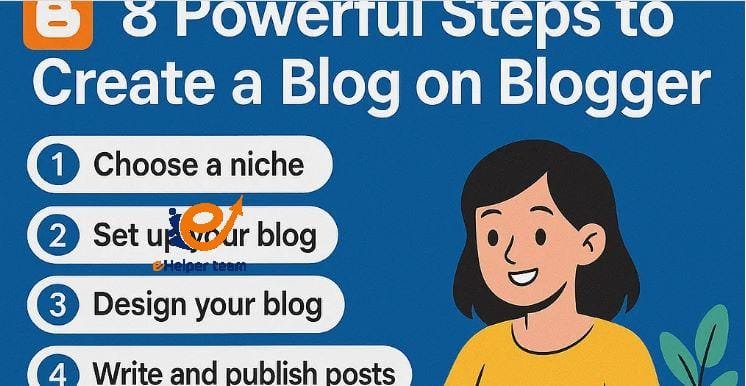
8 steps to create a blog on Blogger
Step 1: Understanding Blogger and Why It’s Still Relevant
Before diving into how to create a blog on Blogger, it’s essential to understand why it remains a great choice even in 2025. Blogger is Google’s free platform that allows users to publish and manage blogs easily without the need for complex coding or hosting services.

Unlike paid CMS platforms, Blogger integrates seamlessly with your Google Account, Google Analytics, and AdSense, making monetization and tracking effortless. It’s an ideal start for beginners who want a quick, reliable, and free blogging experience.
Advantages of Blogger in 2025:
Free & Easy Setup: No hosting fees, no tech hassle.
Google Integration: Full access to AdSense, Drive, and Analytics.
Responsive Themes: Modern, mobile-friendly templates.
Security & Speed: Google’s infrastructure ensures safety and uptime.
However, some bloggers eventually migrate to WordPress for greater customization, but as a starting point, Blogger is unbeatable for simplicity and cost-efficiency. To learn more about the Word AI article rewriter, check out this tool.
Step 2: How to Create a Blog on Blogger — Step-by-Step
Now, let’s jump into the actual process of how to create a blog on Blogger from scratch. This section is your foundation for building a professional blog.
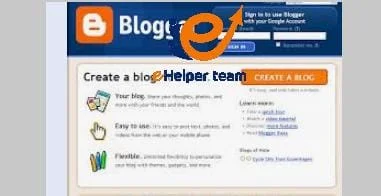
1. Sign in to Blogger
Visit Blogger.com and log in with your Google account. If you don’t have one, you can create it for free.
2. Create a New Blog
Once logged in, click “Create New Blog”, then:
Choose a blog title (this will appear at the top of your site)
Pick a blog address (URL) ending with .blogspot.com
Select a template (you can always change it later)
3. Customize Your Blog’s Design
After creating your blog, go to Theme > Customize to adjust:
Colors and fonts
Layout (sidebars, headers, footers)
Logo and favicon
Pro tip: Keep your design simple and consistent for better readability and SEO.
4. Write and Publish Your First Post
Click New Post and start writing! Blogger’s editor supports rich text, HTML, and media embedding. Don’t forget to:
Add relevant labels (tags)
Write engaging titles
Use internal and external links naturally
This is your first milestone toward learning how to create a blog on Blogger that attracts readers.
Step 3: Designing for Readability and SEO Success
Once your blog is live, design becomes critical for retention and discoverability. Blogger offers both free and paid themes — choose one that loads quickly and fits your niche.
Best Practices for Blogger Design:
Mobile Optimization: Over 70% of readers use mobile devices.
Readable Fonts: Use clean, sans-serif fonts (e.g., Open Sans, Roboto).
Simple Navigation: Keep menus intuitive and short.
Internal Linking: Link to older posts to improve SEO.
You can also use third-party templates for more customization. Websites like Gooyaabi Templates or ThemeForest offer premium designs optimized for speed and performance.
To understand SEO fundamentals that complement your Blogger setup, explore this guide: Let’s Know the Difference Between SEM vs SEO.
Step 4: Writing SEO-Friendly Content
Your blog’s success depends on your content. To master how to create a blog on Blogger that actually ranks, follow these SEO writing principles:
Use your main keyword (like “create a blog on Blogger”) naturally.
Write in short, clear sentences.
Include headings (H2, H3) for structure.
Add internal and external links to increase authority.
Use engaging visuals to support your text.
Also, focus on long-tail keywords like “how to start a free blog on Blogger” or “best Blogger settings for beginners”. These help you attract targeted traffic and improve your chances of ranking on Google.
Interested in monetizing travel or lifestyle blogs? Check this: Top 3 Travel Affiliate Programs.
Step 5: Customizing Your Blog’s Domain and Settings
After you’ve created and designed your Blogger site, the next crucial step to make your blog look professional is customizing your domain and settings.
When you create a blog on Blogger, it initially uses a free yourname.blogspot.com domain. While that’s fine for beginners, upgrading to a custom domain (like yourname.com) gives your blog credibility and better SEO potential.
How to Add a Custom Domain
Purchase a domain name from trusted registrars such as Google Domains, Namecheap, or GoDaddy.
In your Blogger dashboard, go to Settings > Publishing > Custom Domain.
Enter your domain name and follow the DNS setup instructions.
Enable HTTPS for secure browsing.
A custom domain helps build trust and makes your blog more brandable. It also improves your chances of ranking higher on Google searches.
Optimizing Blogger Settings for SEO
Once the domain is ready, adjust these key settings:
Enable search description: Add a 150-character meta description using your main keyword naturally.
Turn on HTTPS redirection: This improves security and SEO.
Set up custom robots.txt: Control what pages search engines can crawl.
Use custom permalinks: For example, change URLs to /create-blog-on-blogger instead of random numbers.
These technical tweaks may seem small, but they greatly influence how well your content ranks online.
Step 6: Promoting Your Blog Effectively
Now that you’ve learned how to create a blog on Blogger, it’s time to get readers! Promotion is where most beginner bloggers struggle, but with the right strategy, you can drive consistent, organic traffic.
1. Leverage Social Media
Share your blog posts on platforms like Facebook, LinkedIn, Instagram, and Pinterest.
Use relevant hashtags and interact with readers to boost engagement.
2. Join Blogger Communities
Platforms like Medium, Quora, or Reddit can be great for sharing your expertise. Participate genuinely in discussions, and include links to your blog where relevant.
3. Collaborate with Other Bloggers
Guest posting on other blogs or inviting guest writers helps you expand your audience and build backlinks.
Remember, backlinks from high-authority sites significantly improve your SEO.
4. Email Marketing
Start building an email list early. Use free tools like Mailchimp to collect subscribers and send weekly updates about new blog posts.
5. Consistency Is Key
Consistency builds trust. Posting once or twice a week shows readers (and Google) that your blog is active.
Step 7: Monetizing Your Blogger Blog
Once your blog starts getting traffic, it’s time to monetize it! Blogger supports multiple monetization methods, but Google AdSense is the easiest way to start earning.
1. Apply for Google AdSense
Ensure your blog has quality content, proper navigation, and no copyright issues.
Visit the Earnings tab in Blogger and apply directly.
Once approved, ads will automatically appear on your posts.
2. Use Affiliate Marketing
Join affiliate programs that align with your niche (e.g., Amazon Associates, ShareASale, or ClickBank).
Write honest product reviews or tutorials, and include affiliate links.
3. Sell Digital Products
If you have expertise in something (like design, writing, or education), create and sell eBooks, templates, or online courses.
4. Sponsored Posts and Brand Deals
As your traffic grows, brands may approach you to promote their products. Ensure any sponsored content feels authentic and relevant to your audience.
Growing Your Blogger Site in 2025
Creating a blog is just the beginning — maintaining it is the real challenge. Successful blogs require constant updates, fresh content, and strong SEO performance.
Keep Your Content Updated
Regularly update old posts to include new statistics or trends. This signals to Google that your content remains relevant.
Analyze Traffic Performance
Use Google Analytics to track:
Page views
Bounce rate
Audience demographics
Traffic sources
This data helps you refine your strategy and identify what content works best.
Build a Content Calendar
Plan your posts a month in advance. Mix tutorials, opinion pieces, and listicles to keep your blog versatile and engaging.
Engage with Your Readers
Reply to comments, ask for feedback, and encourage interaction. The more connected your audience feels, the longer they stay loyal.
Frequently Asked Questions (FAQs)
1. Is Blogger still a good platform in 2025?
Yes. Blogger remains a reliable, free, and easy-to-use platform, especially for beginners who want to start blogging without technical complexities or expenses.
2. How do I create a blog on Blogger for free?
Go to Blogger.com, sign in with your Google account, and click “Create a New Blog.” Choose your title, address, and template — that’s it!
3. Can I use a custom domain on Blogger?
Absolutely. You can purchase a domain and connect it to your Blogger site through the Settings > Publishing section.
4. How do I make money from my Blogger blog?
You can monetize through Google AdSense, affiliate marketing, sponsored posts, or selling your own digital products.
5. Is Blogger better than WordPress?
Blogger is great for beginners because it’s simple and free. WordPress, however, offers more flexibility for advanced users who want more control over their site.
6. How can I increase my blog traffic?
Focus on SEO, promote on social media, collaborate with other bloggers, and publish consistently high-quality posts.
7. Can I use AI tools to write my blog posts?
Yes! Tools like AI writers can help you generate ideas or improve content, but always edit manually to maintain authenticity.
8. Do I need coding knowledge to use Blogger?
Not at all. Blogger’s dashboard is user-friendly and requires no coding to create or publish posts.
9. How do I back up my Blogger blog?
Go to Settings > Manage Blog > Back Up Content, then download a copy of your posts and pages.
10. Is Blogger good for SEO?
Yes, but you must optimize your posts with keywords, proper headings, fast-loading templates, and consistent updates.
Conclusion
Learning how to create a blog on Blogger is more than just a technical process — it’s the first step toward building your online identity. With Google’s reliability, free hosting, and seamless integration with AdSense, Blogger remains one of the best entry-level platforms for aspiring writers and entrepreneurs.
Remember, consistency, creativity, and continuous learning are the true keys to success. Follow the steps above, stay active, and watch your blog grow into a thriving digital presence in 2025 and beyond.